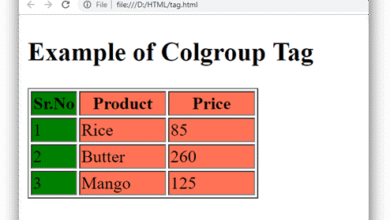
|
HTML <col> tag is used to specify common column properties for each column within <colgroup> element in an HTML table.
The <col> tag is useful when it requires to apply common style rules for each column cell rather than applying individually.
Syntax
Note: In HTML <col> tag does not require a closing tag but in XHTML it require a closing </col> tag.
Following are some specifications about the HTML <col> tag
| Display |
Inline |
| Start tag/End tag |
Start tag(Empty tag) |
| Usage |
HTML tables |
Example 1
Output:

Attribute:
Tag-specific Attribute
element should contain. The default value of span attribute is 1.
| Attribute |
Value |
Description |
| align |
- left
- center
- right
- justify
- char
|
It specifies the horizontal alignment of each column cell.
(Not supported in HTML5). |
| char |
character |
It specifies the alignment of content based on Characters in a column. It will be ignored if align is not set to char. (Not supported in HTML5). |
| charoff |
number |
It sets the number of characters to offset the column data from the alignment character specified by the char attribute. (Not supported in HTML5). |
| span |
number |
It specifies the number of the columns which a |
| valign |
- top
- middle
- bottom
- baseline
|
It specifies the vertical alignment of the columns.
(Not supported in HTML5). |
| width |
|
It specifies the width of the column.
(Not supported in HTML5). |
Global Attribute
HTML <col> tag supports all Global attributes in HTML.
Event Attribute
HTML <col> tag supports all event attributes in HTML.
Supporting Browsers
| Element |
 Chrome Chrome |
 IE IE |
 Firefox Firefox |
 Opera Opera |
 Safari Safari |
| <col> |
Yes |
Yes |
Yes |
Yes |
Yes |
|